Animated Headline block
Animated Headline block
The Animated Headline block adds a heading where part of the text animates, for example a word that types out or rotates through options.

Main settings
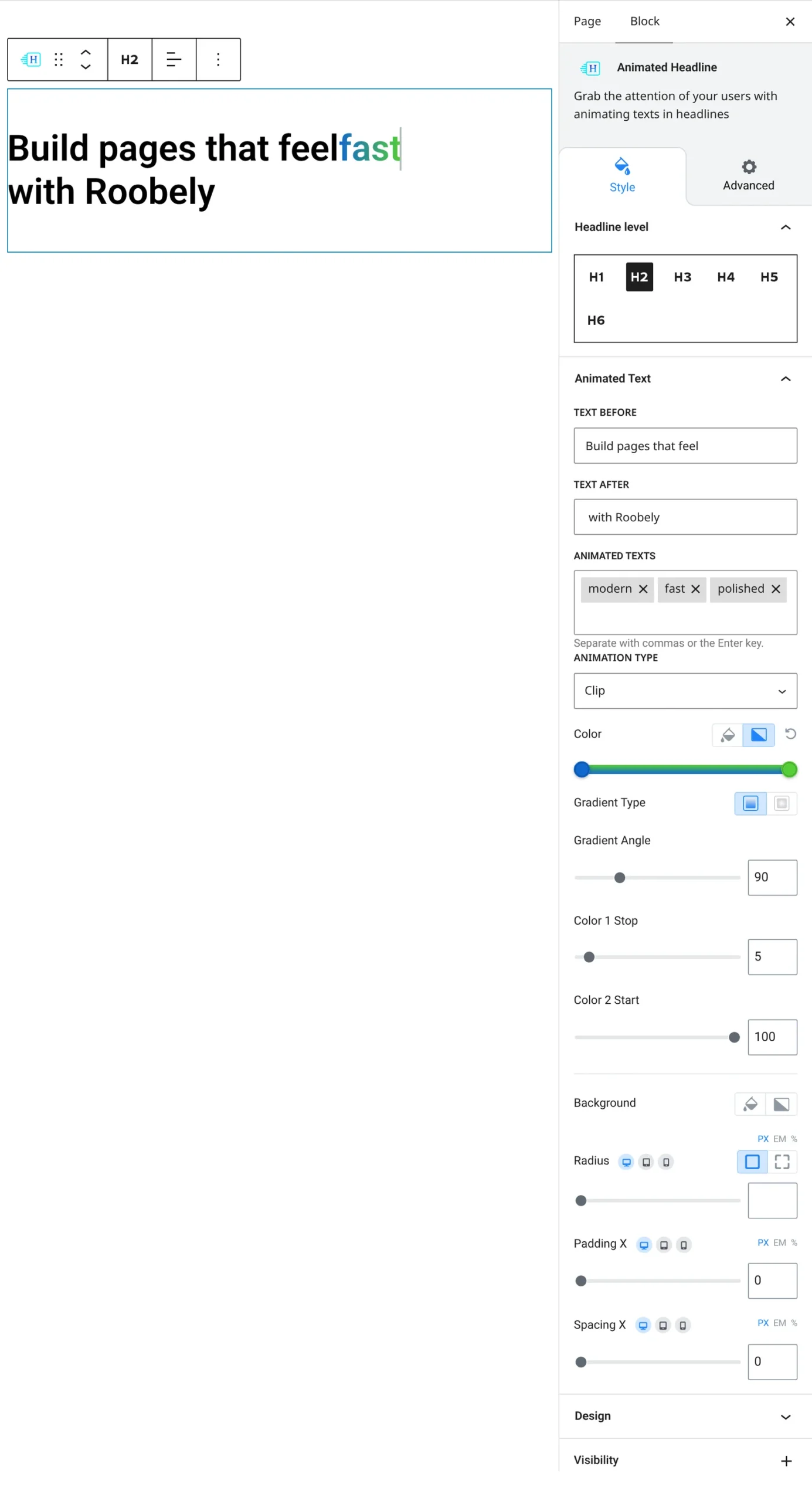
- Text before and after: the fixed parts of the heading around the animated text.
- Animated text: the words that cycle in the animation.
- Animation type: choose the animation effect.
- Heading level and alignment: H1 to H6 and left, center or right alignment.
- Styling: typography and colors for the heading and the animated text, plus padding and radius for the animated part.
How to add it
- Open the page or post in the block editor and click the + (block inserter) button.
- Search for Animated Headline and choose the Roobely Animated Headline block.
- Enter the text before and after, then add the words to animate.
- Pick the animation type and style the animated text.
- Click Update or Publish, then preview the page to check it on desktop and mobile.