Lottie block
Requires Roobely Pro. Get Roobely Pro
Lottie block
The Lottie block plays a Lottie animation file, either uploaded to your site or loaded from a URL.
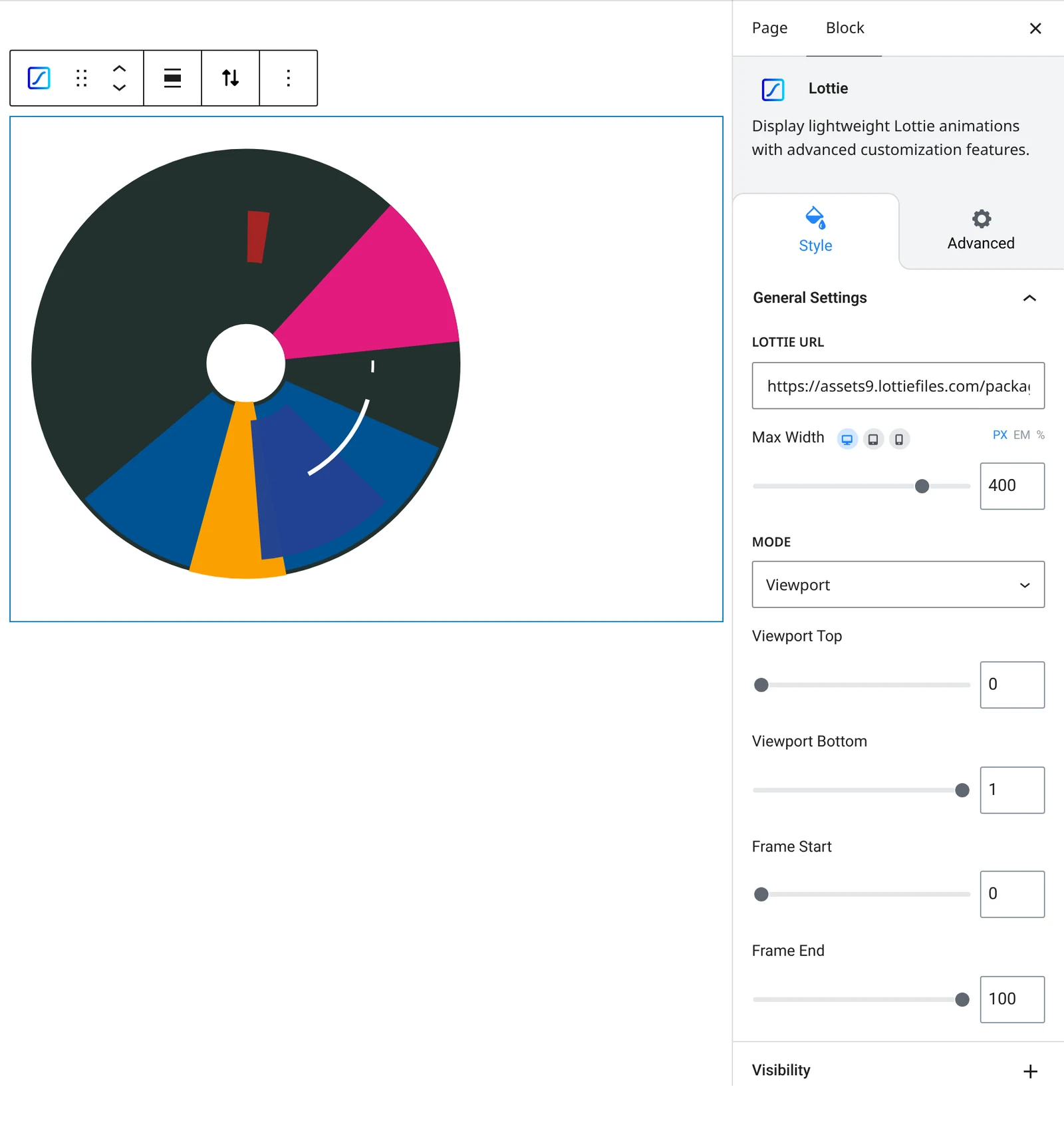
Main settings
- Source: upload a Lottie JSON file or use an external URL.
- Play mode: autoplay, loop, direction and speed.
- Trigger: choose when the animation plays, for example on scroll within a viewport range.
- Frames: start and end frames.
- Width: maximum width of the animation.
How to add it
- Open the page or post in the block editor and click the + (block inserter) button.
- Search for Lottie and choose the Roobely Lottie block.
- Upload a Lottie JSON file or paste its URL.
- Set autoplay, loop and speed.
- Click Update or Publish, then preview the page to check it on desktop and mobile.