Divider block
Divider block
The Divider block adds a line between pieces of content, with your choice of style, color, width and thickness.

Main settings
- Style: choose the divider style.
- Color: the line color.
- Width: how wide the divider is.
- Height: the line thickness.
- Alignment and spacing: left, center or right alignment and space above and below.
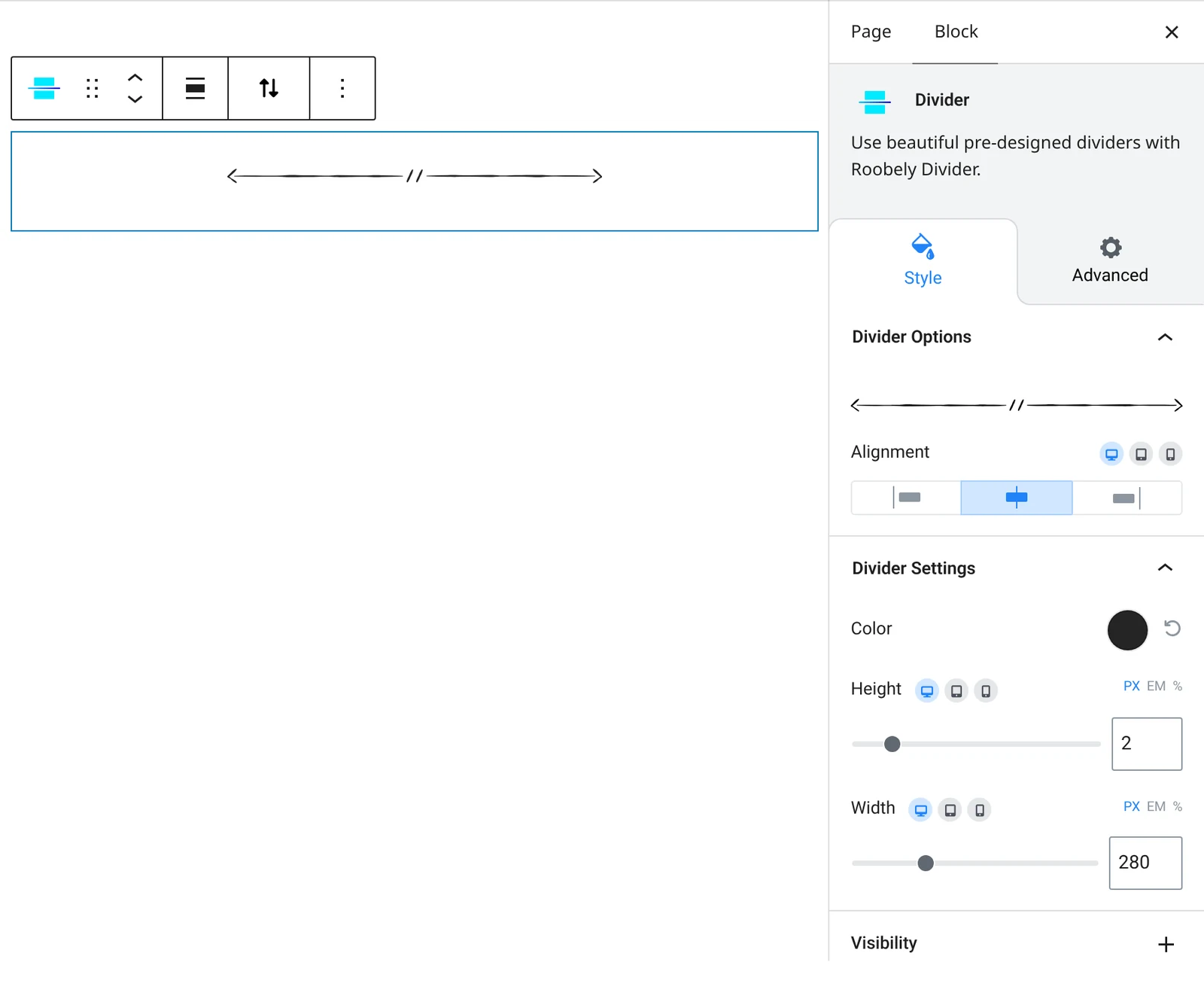
How to add it
- Open the page or post in the block editor and click the + (block inserter) button.
- Search for Divider and choose the Roobely Divider block.
- Pick a divider style.
- Set the color, width, thickness and alignment.
- Click Update or Publish, then preview the page to check it on desktop and mobile.