Image block
Image block
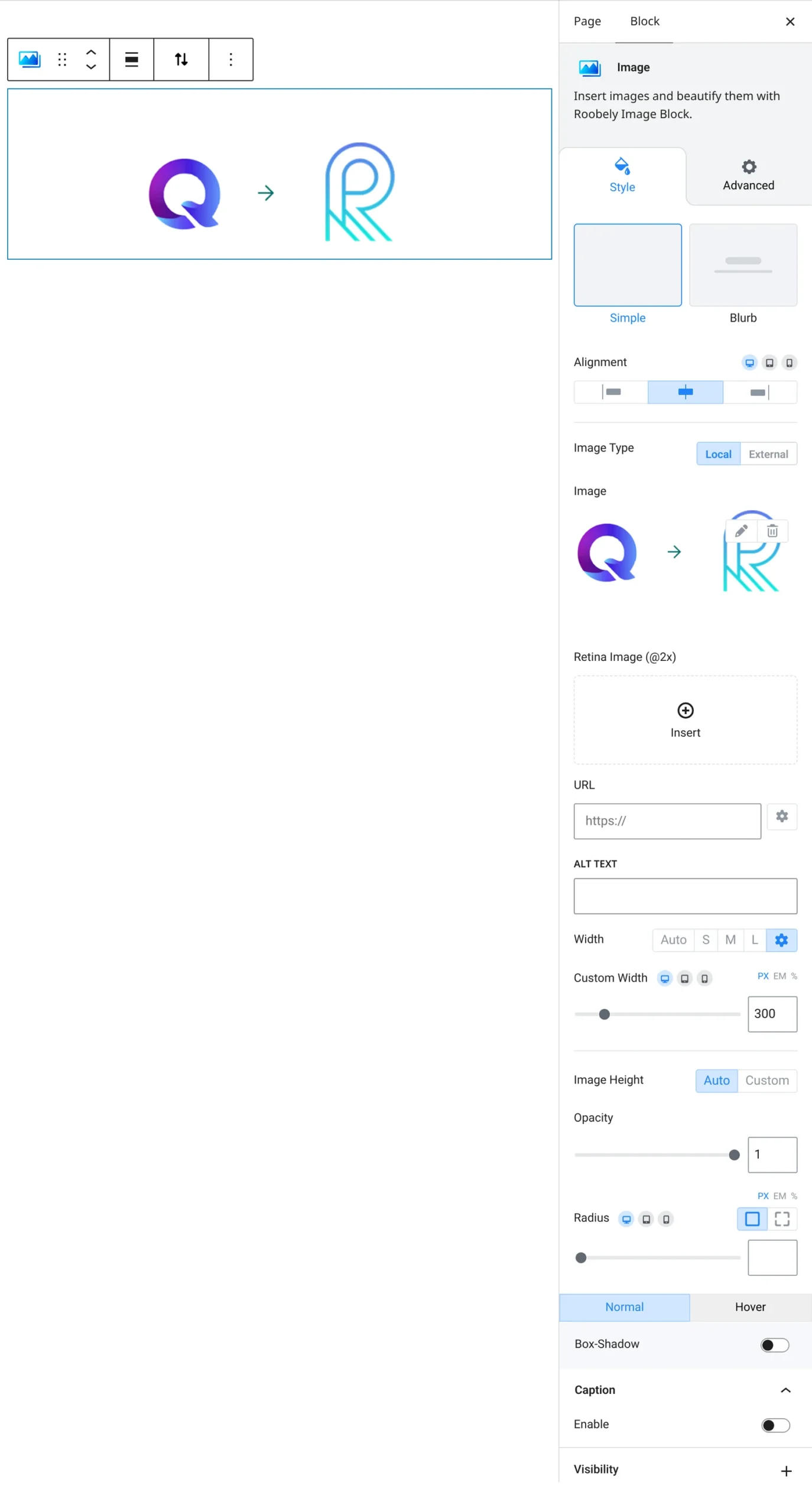
The Image block adds a picture with optional caption, title overlay, frame and hover animation.

Main settings
- Image: upload from the media library or use an external URL, set alt text, image size and custom height.
- Layout: simple image or a layout with title and subtitle over the image.
- Caption: turn on a caption and style its typography, color and spacing.
- Overlay: add an overlay color and blend mode, with a different color on hover.
- Frame: add a decorative frame with border, radius, margin and hover animation.
- Image style: corner radius, opacity and shadow.
How to add it
- Open the page or post in the block editor and click the + (block inserter) button.
- Search for Image and choose the Roobely Image block.
- Upload or choose an image and add alt text.
- Pick a layout and turn on a caption, overlay or frame if needed.
- Click Update or Publish, then preview the page to check it on desktop and mobile.